My workflow has remained mostly the same for over a decade. I write everything in Vim using the configuration found here. I run Vim from inside of tmux with a configuration found here. I write things on a git branch, made with the git CLI, then I add them with git add --patch to that branch, trying to run all of the possible linting and tests with git hooks before I waste my time on GitHub Actions. Then I run git up which is an alias to pull --rebase --autostash. Finally I successfully commit, then I copy paste the URL returned by GitHub to open a PR. Then I merge the PR and run git ma to go back to the primary branch, which is an alias to ma = "!f() {git checkout $(git primary) &&git pull;}; f".
This workflow, I think, is pretty familiar for anyone working with GitHub a lot. Now you'll notice I'm not saying git because almost nothing I'm doing has anything to do with git. There's no advantage to my repo being local to my machine, because everything I need to actually merge and deploy code lives on GitHub. The CI runs there, the approval process runs there, the monitoring of the CI happens there, the injection of secrets happens there. If GitHub is down my local repo does, effectively, nothing.
My source of truth is always remote, which means I pay the price for git complexity locally but I don't benefit from it. At most jobs:
- You can't merge without GitHub (PRs are the merge mechanism)
- You can't deploy without GitHub (Actions is the deployment trigger)
- You can't get approval without GitHub (code review lives there)
- Your commits are essentially "drafts" until they exist on GitHub
This means the following is also true:
- You never work disconnected intentionally
- You don't use local branches as long-lived divergent histories
- You don't merge locally between branches (GitHub PRs handle this)
- You don't use
git logfor archaeology — you use GitHub's blame/history UI (I often use git log personally but I have determined I'm in the minority on this).
Almost all the features of git are wasted on me in this flow. Now because this tool serves a million purposes and is designed to operate in a way that almost nobody uses it for, we all pay the complexity price of git and never reap any of the benefits. So instead I keep having to add more aliases to paper over the shortcomings of git.
These are all the aliases I use at least once a week.
[alias]
  up = pull --rebase --autostash
  l = log --pretty=oneline -n 20 --graph --abbrev-commit
  # View the current working tree status using the short format
  s = status -s
  p = !"git pull; git submodule foreach git pull origin master"
  ca = !git add -A && git commit -av
  # Switch to a branch, creating it if necessary
  go = "!f() { git checkout -b \"$1\" 2> /dev/null || git checkout \"$1\"; }; f"
  # Show verbose output about tags, branches or remotes
  tags = tag -l
  branches = branch -a
  remotes = remote -v
  dm = "!git branch --merged | grep -v '\\*' | xargs -n 1 git branch -d"
  contributors = shortlog --summary --numbered
  st = status
  primary = "!f() { \
    git branch -a | \
    sed -n -E -e '/remotes.origin.ma(in|ster)$/s@remotes/origin/@@p'; \
  }; f"
  # Switch to main or master, whichever exists, and update it.
  ma = "!f() { \
    git checkout $(git primary) && \
    git pull; \
  }; f"
  mma = "!f() { \
    git ma && \
    git pull upstream $(git primary) --ff-only && \
    git push; \
  }; f"
Enter GitButler CLI
Git's offline-first design creates friction for online-first workflows, and GitButler CLI eliminates that friction by being honest about how we actually work.
(Edit: I forgot to add this disclaimer. I am not, nor have ever been an employee/investor/best friends with anyone from GitButler. They don't care that I've written this and I didn't communicate with anyone from that team before I wrote this.)
So let's take the most basic command as an example. This is my flow that I do 2-3 times a day without my aliases.
git checkout main
git pull
git checkout -b my-feature
# or if you're already on a branch:
git pull --rebase --autostash
git status
I do this because git can't make assumptions about the state of the world.
- Your local repo might be offline for days or weeks
- The "remote" might be someone else's laptop, not a central server
- Divergent histories are expected and merging is a deliberate, considered act
However because GitButler is designed with the assumption that I'm working online, we can skip a lot of this nonsense.
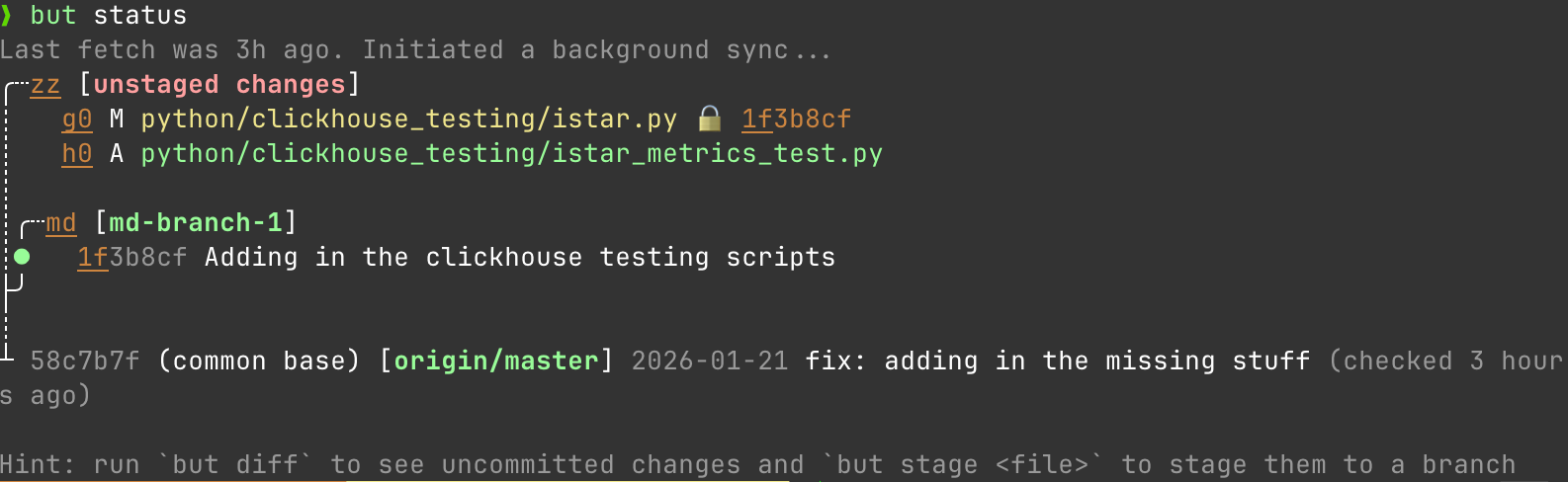
It's status command understands that there is always a remote main that I care about and that when I run a status that I need to understand my status relative to the remote main as it exists right now. Not how it existed the last time I remembered to pull.
However this is far from the best trick it has up its sleeve.
Parallel Branches: The Problem Git Can't Solve
You're working on a feature, notice an unrelated bug, and now you have to stash, checkout, fix, commit, push, checkout back, stash pop. Context switching is expensive and error-prone.
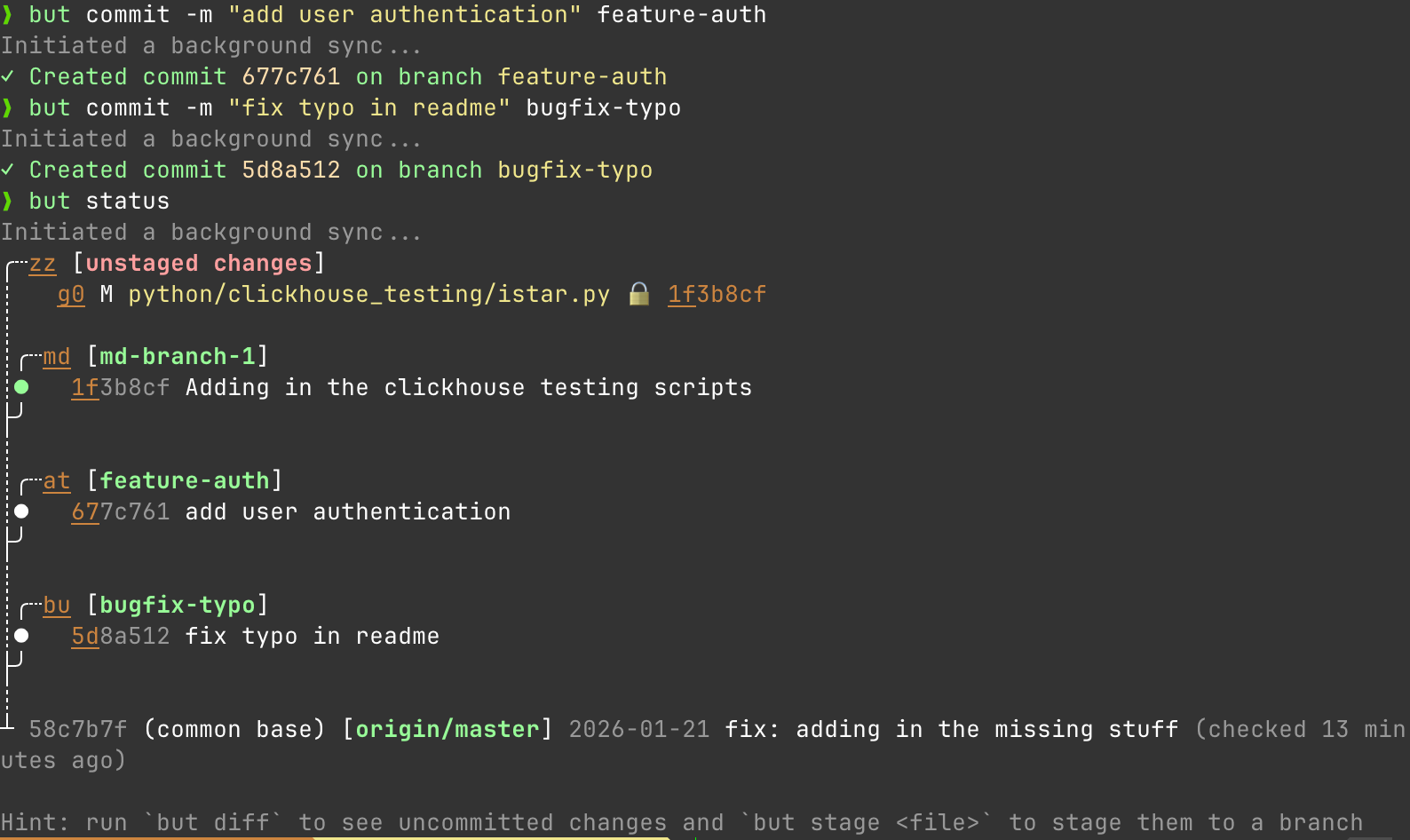
GitButler effectively hacks a solution into git that fixes this with multiple branches applied simultaneously. Assign files to different branches without leaving your workspace. What do I mean by that. Let's start again with my status
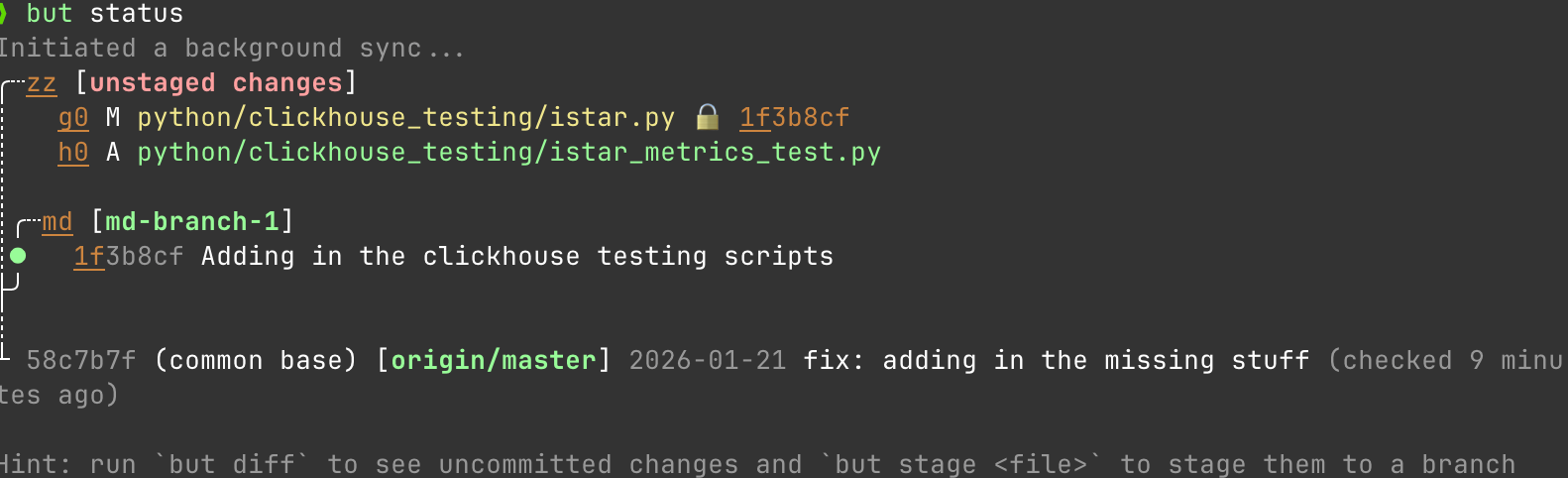
Great looks good. Alright so lets say I make 2 new branches. I'm working on a new feature for adding auth and while I'm working on that, I see a typo I need to fix in a YAML.
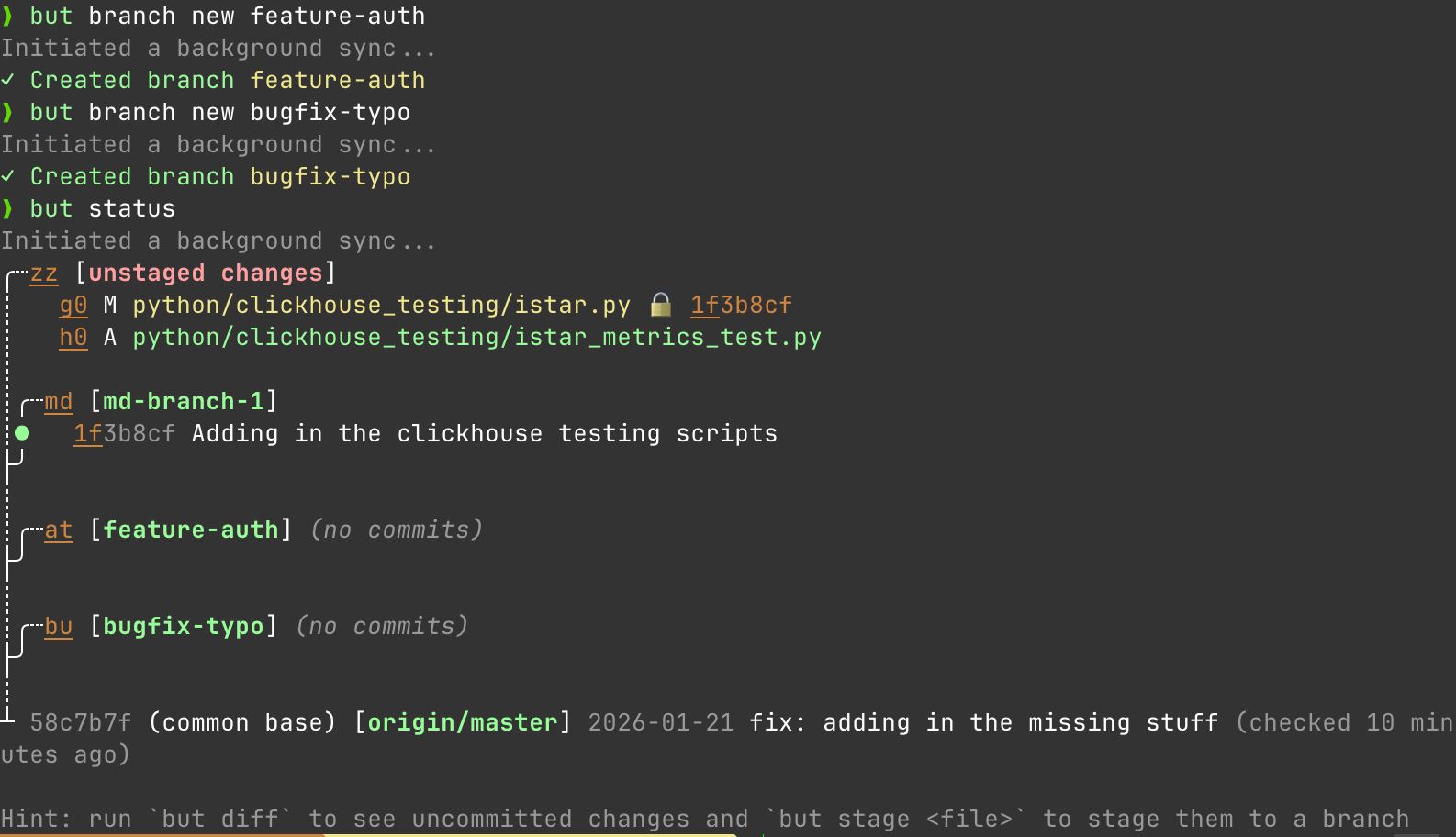
I can work on both things at the same time:
but stage istar_metrics_text.py feature-auth
but stage example.txt bugfix-typo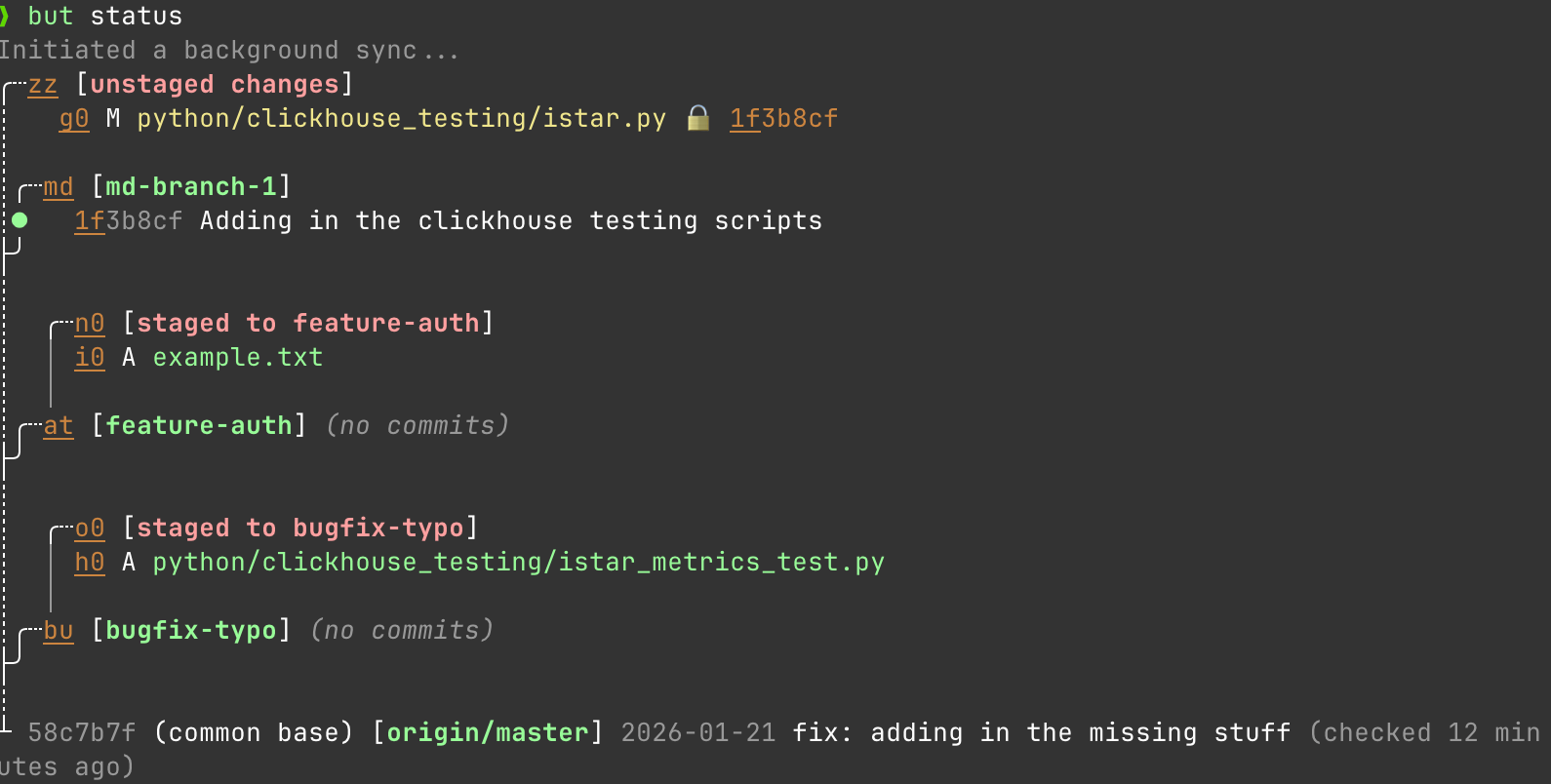
And easily commit to both at the same time without doing anything weird.
Stacked PRs Without the Rebase Nightmare
Stacked PRs are the "right" way to break up large changes so people on your team don't throw up at being asked to review 2000 lines, but Git makes them miserable. When the base branch gets feedback, you have to rebase every dependent branch, resolve conflicts, force-push, and pray. Git doesn't understand branch dependencies. It treats every branch as independent, so you have to manually maintain the stack.
GitButler solves this problem with First-class stacked branches. The dependency is explicit, and updates propagate automatically.
So what do I mean. Let's say I make a new API endpoint in some Django app. First I make the branch.
but branch new api-endpoints
# Then add my stuff to it
but commit -m "add REST endpoints" api-endpoints
# Create a stacked branch on top
but branch new --anchor api-endpoints api-tests
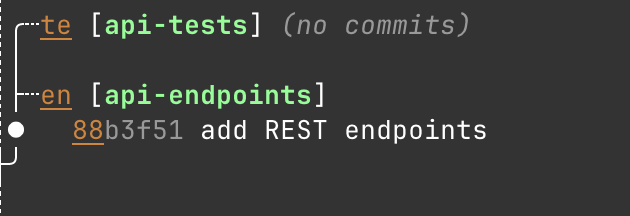
So let's say I'm working on the api-endpoints branch and get some good feedback on my PR. It's easy to resolve the comments there while leaving my api-tests branched off this api-endpoints as a stacked thing that understands the relationship back to the first branch as shown here.
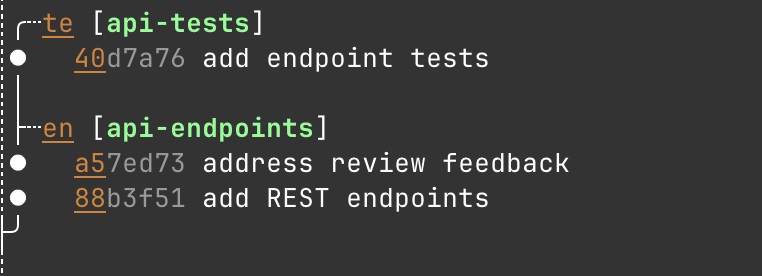
In practice this is just a much nicer way of dealing with a super common workflow.
Easy Undo
Maybe the most requested feature from new git users I encounter is an easier undo. When you mess up in Git, recovery means diving into git reflog, understanding the cryptic output, and hoping you pick the right HEAD@{n}. One wrong move and you've made it worse.
GitButlers oplog is just easier to use. So the basic undo functionality is super simple to understand.
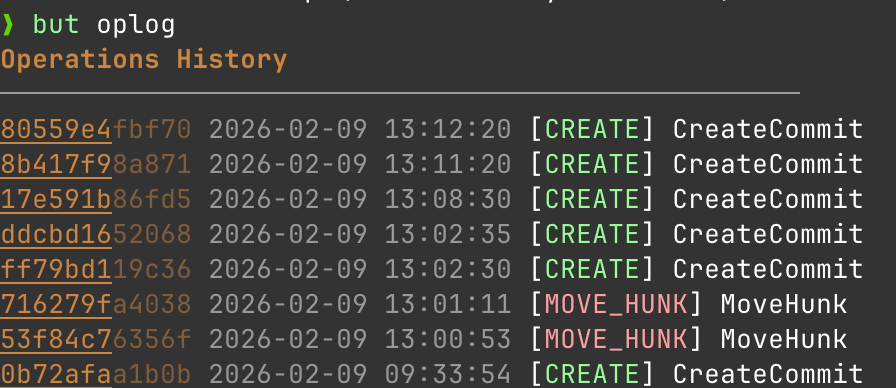
but undo rolls me back one operation.
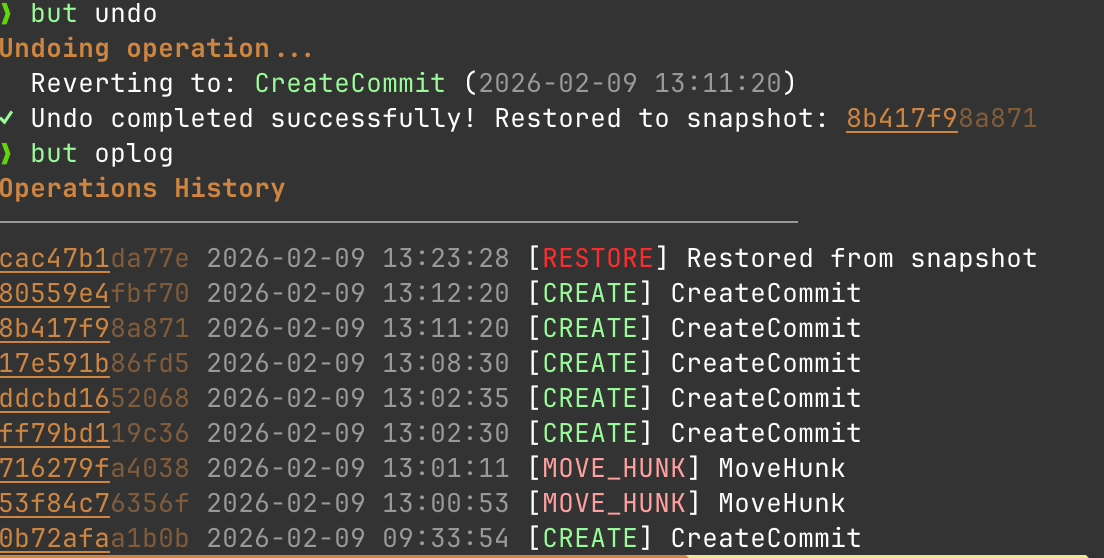
To me the mental model of a snapshot makes a lot more sense than the git history model. I do an action, I want to undo that action. This is better than the git option of:
git log --oneline                 # figure out what you committed
git reset --soft HEAD~1           # undo commit, keep changes staged
git stash                         # stash the changes
git checkout correct-branch       # switch branches
git stash pop                     # restore changes (hope no conflict)
git add .                         # re-stage
git commit -m "message"           # recommit
Very exciting tool
I've been using GitButler in my daily work since I got the email that the CLI was available and I've really loved it. I'm a huge fan of what this team is doing to effectively remodel and simplify Git operations in a world where almost nobody is using it in the way the tool was originally imagined to be used. I strongly encourage folks go check it out for free at: https://docs.gitbutler.com/cli-guides/cli-tutorial/tutorial-overview. It does a ton of things (like help you manage PRs) that I didn't even touch on here.
Let me know if you find something cool that I forgot at: https://c.im/@matdevdug